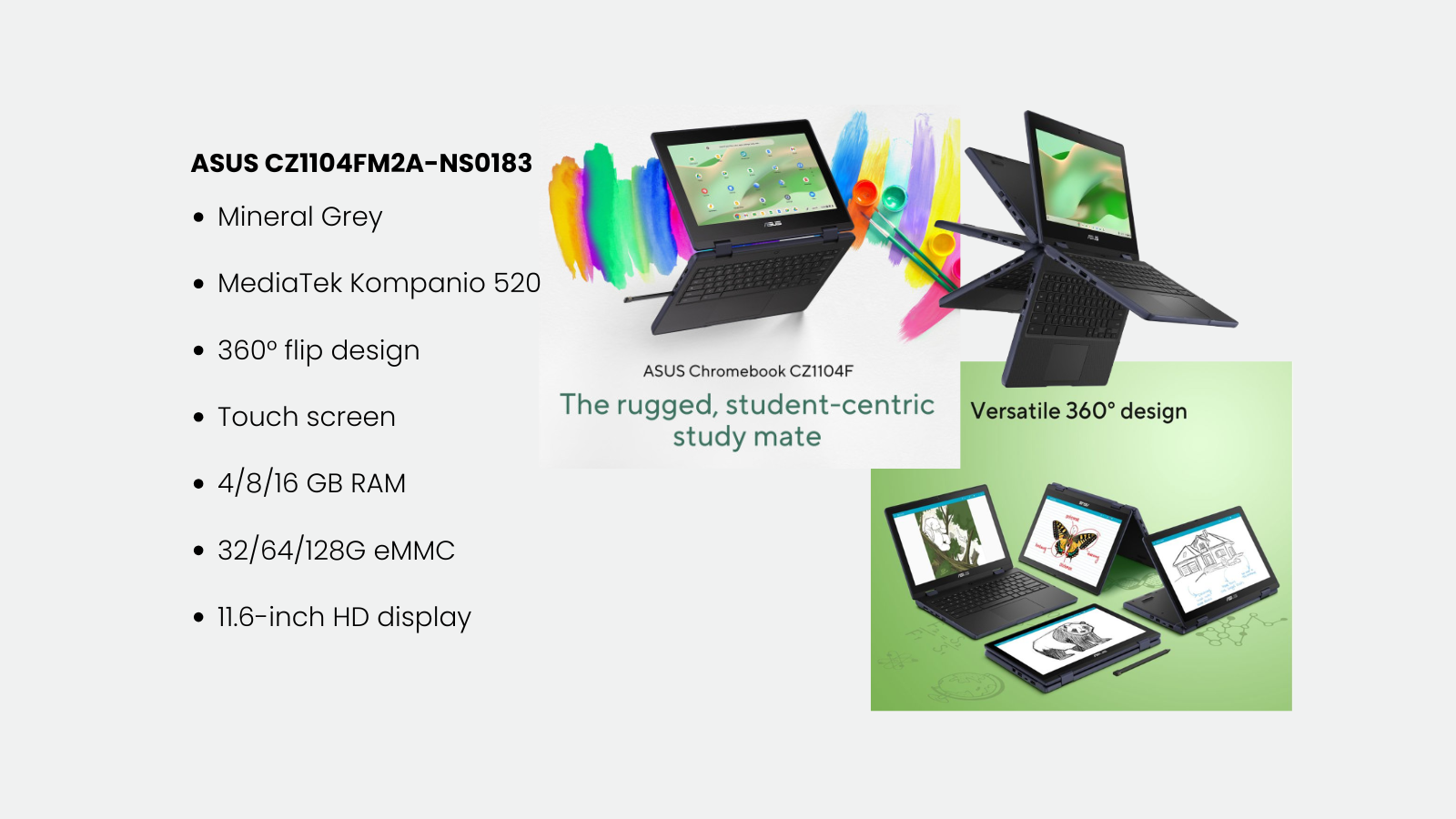
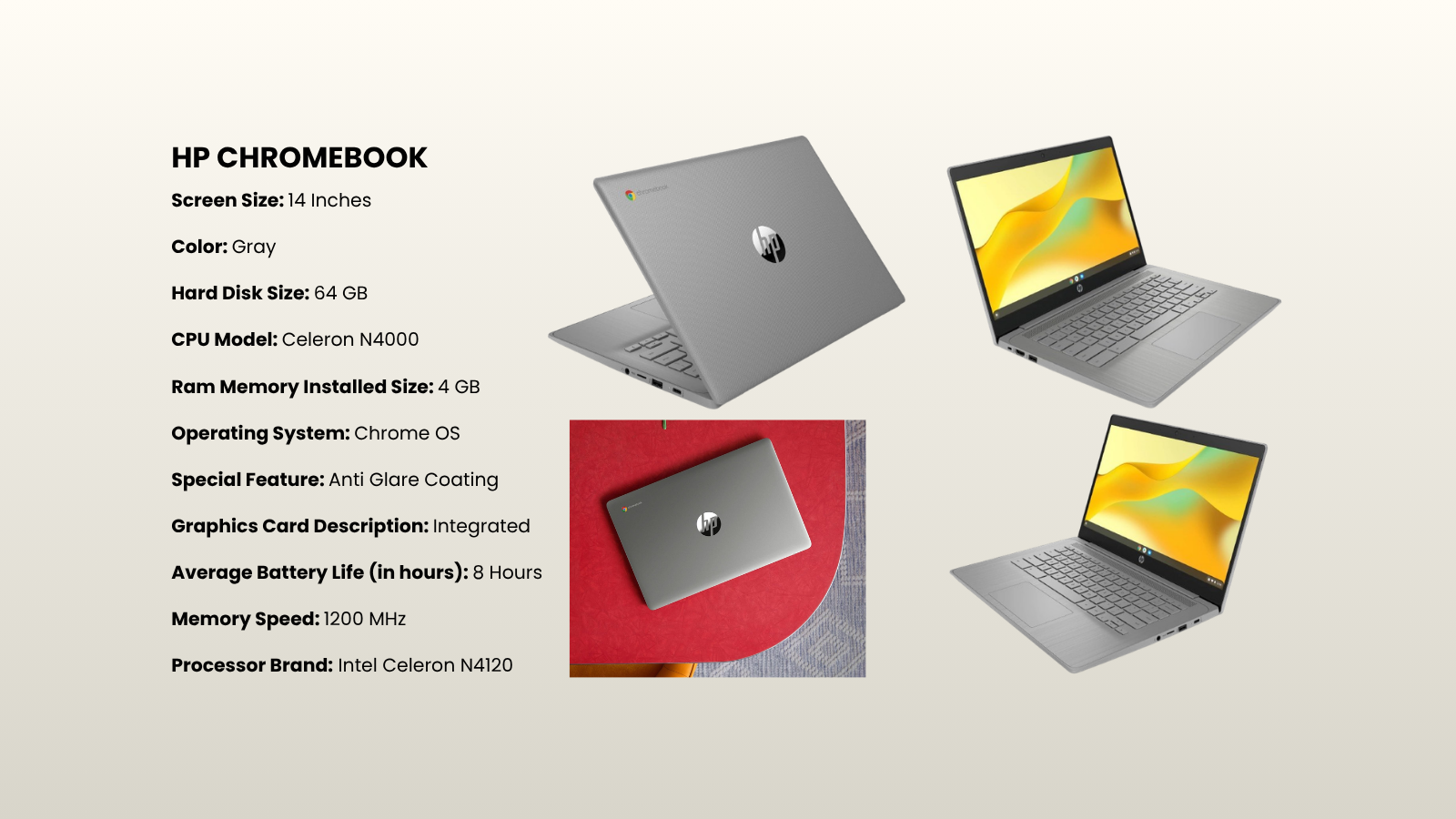
What is a Chromebook?
A Chromebook is a laptop or tablet that runs on Google's ChromeOS. Instead of installing programs, it works through the web and the cloud, built to be fast, simple, and secure from the moment it boots.
Chromebooks for Education are configured specifically for students, teachers, and school administrators, an affordable and easy to maintain way to bring computing into the classroom.
Key components & core characteristics
Every Chromebook we deploy ships with these built in, no add ons, no separate licences to chase down.
ChromeOS
A lightweight, Linux based OS built by Google, known for speed, simplicity, and security.
Cloud based
Runs on Google Drive and Workspace for Education, including Docs, Sheets, Slides, Gmail, Classroom, and Meet.
Fast boot up
Chromebooks typically boot up in a matter of seconds, not minutes.
Automatic updates
ChromeOS updates itself quietly in the background, so there is nothing for staff to schedule.
Built in security
Sandboxing, verified boot, and simple, granular user permissions by default.
Long battery life
Many models are built to comfortably outlast a full school day.
Affordability
Generally priced well below traditional laptops, with a lower total cost of ownership.
Ease of management
The Google Admin console lets IT teams manage entire device fleets from one dashboard.
Durability
Education models are built with rugged hardware ready for classroom use.
Shareability
Multiple students can sign in and out of the same device with ease.
Offline capable
Many apps keep working without a connection, then sync once you're back online.
Frequently asked questions
The questions we hear most from schools and IT teams, answered straight, the same way our support desk would.
A Chromebook is a laptop that runs Google's ChromeOS, a lightweight system focused on the cloud and built for speed, security, and simplicity. Unlike Windows or macOS, you don't install traditional desktop programs; instead you work through web apps and apps from the Google Play Store.
Adoption was previously limited by the lack of an official distribution and reseller channel. That has changed, as Zila Tech is now an authorized distributor, giving schools in Kenya a formal channel for procurement and ongoing support.
Yes. Devices can be released from the school's management console during end of school clearance. From there, their affordability, security, battery life, and Google Workspace integration make them well suited to research, writing, and everyday productivity.
Chromebooks primarily run web apps, Progressive Web Apps, and Android apps. More advanced users can also enable a Linux development environment for desktop Linux applications. To reach Windows style tools, most people use:
- Web based versions of the application, where available.
- Android equivalents from the Google Play Store.
A Chromebook is purpose built hardware with a Google security chip for verified boot. A ChromeOS Flex device is an existing Windows PC or Mac that's had ChromeOS Flex installed in place of its original system. Key differences:
- Google security chip: present on Chromebooks, absent on Flex devices.
- Firmware updates: managed by Google on Chromebooks; handled by the original manufacturer on Flex devices.
- Android apps & Play Store: fully supported on most Chromebooks, not supported on Flex.
Centrally, through the Google Admin console, using a Chrome Education Upgrade licence per device. From there, IT administrators can:
- Filter the online content accessible on managed devices.
- Configure user and device policies, including WiFi settings.
- Remotely manage and monitor the fleet.
Pricing depends on the manufacturer, model, specifications, and features like touchscreens. Cash purchase prices typically start around $300 to $400.
Most Chromebooks run 8 to 12 hours on a single charge, with Google designing for roughly 10 active hours. Models with power efficient chips, such as ARM based or Intel Celeron and Pentium processors, can reach 12 to 15 hours or more.
Lifespan is mainly set by the Auto Update Expiration (AUE) date, the point at which Google stops sending software and security updates. Google currently supports devices for 10 years, though the hardware may keep working beyond that, with increasing security risk.
Chromebooks work best online, but plenty can be done offline too, including Gmail Offline, Google Keep, and Docs, Sheets, and Slides, which all support offline editing. Files sync automatically the next time you're connected.